Automatic status tracking
Unopened → opened → finished / expired. Days remaining and the progress bar are calculated automatically from the day you open it.
Kozu brings all your cosmetics and skincare products together in one place. Which product you opened when, when it'll run out, what's inside it — all right at hand.
Start free · 10 products & 2 routines included · Unlimited with Premium
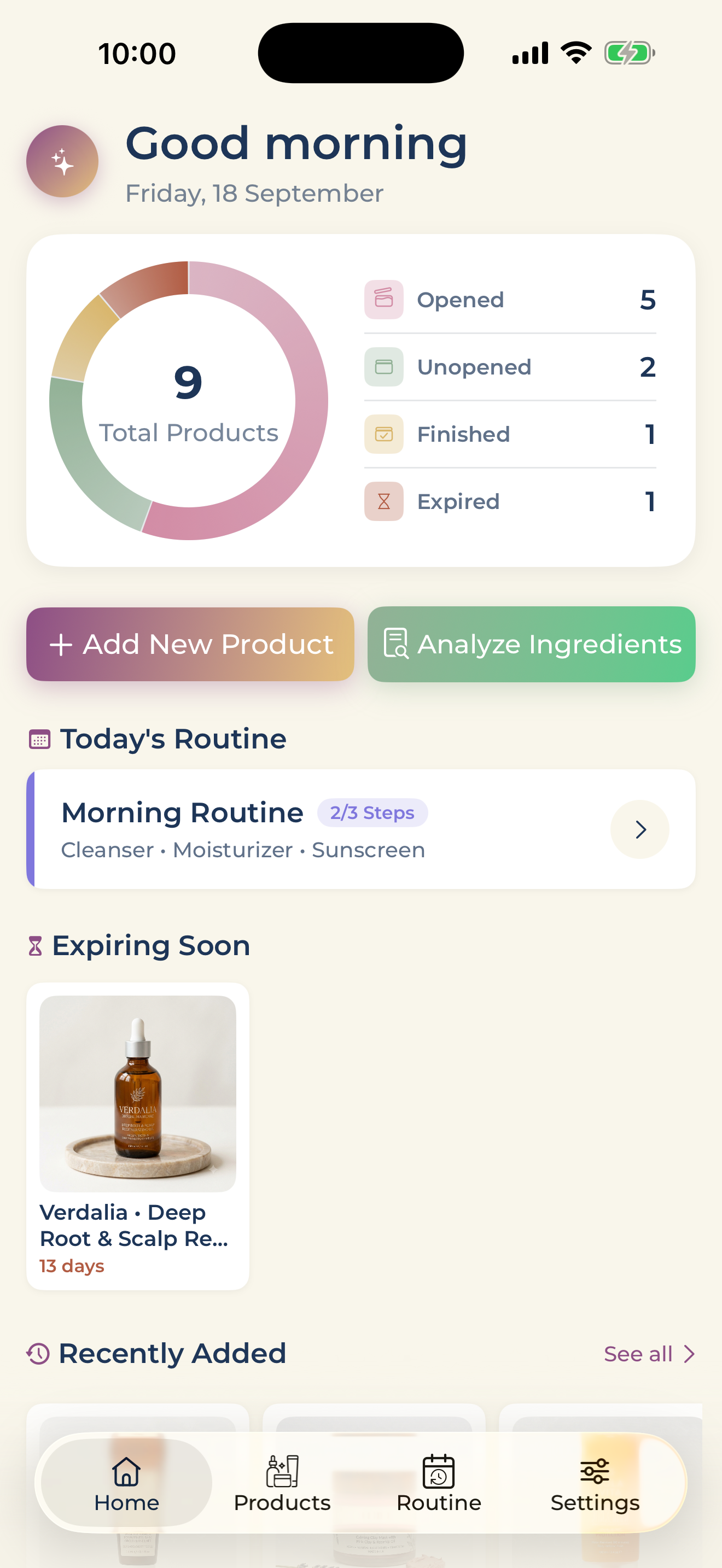
Add the product, let Kozu handle the rest. Status, dates, ingredients and spending are all tracked automatically.
Unopened → opened → finished / expired. Days remaining and the progress bar are calculated automatically from the day you open it.
Take a photo of the product label; the brand is recognised, you tap the scanned text to pick the product name, and the ingredient list is read automatically. No more filling out the whole form by hand.
12 ingredient categories — hydration, brightening, exfoliation, anti-aging, SPF and more. Compare your products by formula.
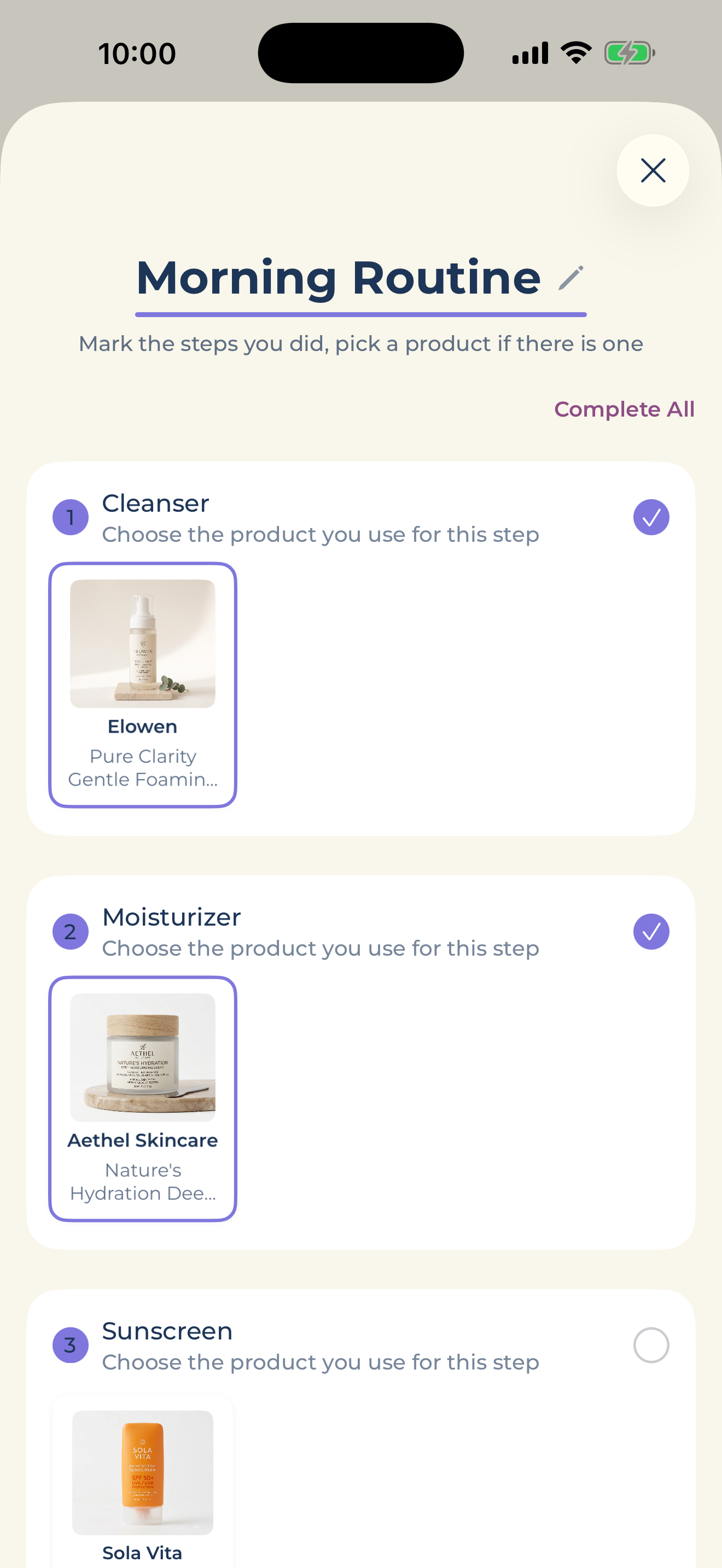
Build your morning and evening routines step by step, log them daily. See which days you completed at a glance on the monthly calendar.
Save the price, currency and where you bought it. Buy it again and "Bought Again" opens the add form already filled with the brand and photos.
Your data stays on your device, synced across your devices through your own iCloud account. No extra account needed.
Build your routine around a category, a specific ingredient, a specific product from your inventory, or a device step. Choose which days to apply it, check off your day.
Read on your device, never sent anywhere
Scan the product label — Kozu reads the text on your device, separates the brand from the product name, and recognises the ingredient list. No more typing it all out by hand.
Kozu doesn't ask you to create an account. Your products, photos and routines are stored on your device; syncing happens through your own iCloud account.
No. Download Kozu and start using it straight away — no email, no password, no social login.
Yes. Adding products, ticking off your routine and scanning a label all happen on your device and need no connection. Only iCloud sync and buying Premium require one.
No. Labels are read with Apple's on-device text recognition. Your photos stay on your device — they are never uploaded to us or anywhere else.
No. Everything works with iCloud turned off, and your data simply stays on the device. Turn it on and syncing runs through your own iCloud account — no server of ours is involved.
No, nothing is deleted. Products and routines above the free limit become read-only; delete items to go back under the limit, or resubscribe, and they are editable again.
Download for free, add your first 10 products and a routine right away. Go Premium for unlimited products and routines.
Download on the App Store